
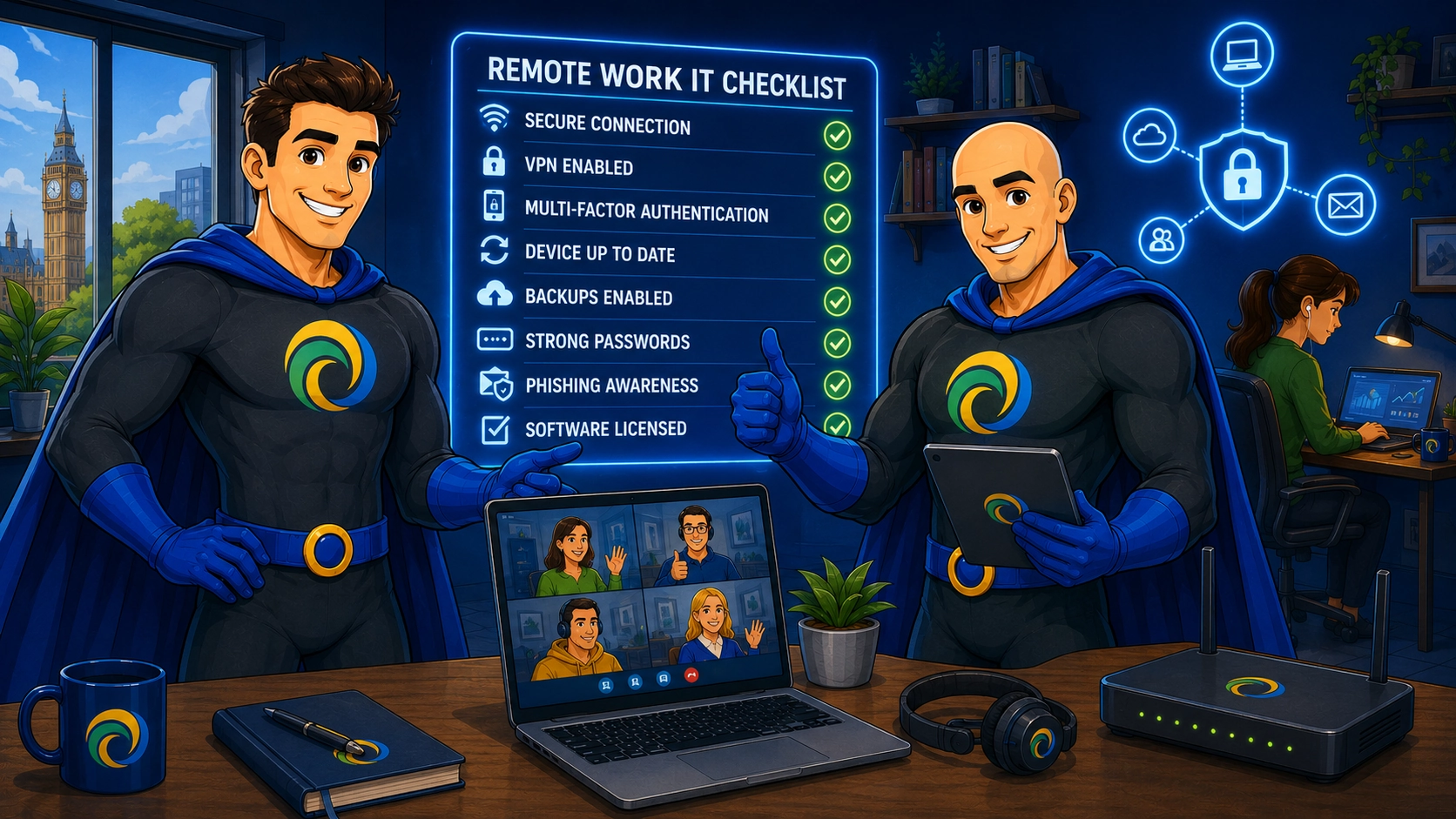
Every business operating with remote or hybrid teams needs a robust remote work IT checklist, and the stakes in 2026 have never been higher. According to Verizon’s Data Breach Investigations Report, credential abuse is the leading initial attack vector at 22%, meaning unprotected remote workers are handing attackers their first foothold into your business. Below, we have broken down each critical area of remote IT readiness into a “best for” format, so you know exactly which controls, habits and support structures matter most, and why.
Key Takeaways
| Checklist area | Why it matters for remote and hybrid teams |
|---|---|
| Credential protection | Credential abuse drives 22% of breaches, so MFA enforcement belongs at the top of every remote work IT checklist. |
| Endpoint security | Every remote device connecting to your business network is a potential entry point for attackers. |
| Remote access controls | Fewer than 15% of organisations have advanced remote access controls, leaving many UK SMEs with closeable gaps. |
| Security training | Human error remains one of the most exploited vulnerabilities in any remote workforce. |
| Backup and recovery | Untested backups offer false peace of mind. Recovery must be verified, not assumed. |
| Remote IT support | Fast, expert help without on-site visits is now a baseline expectation for distributed teams. |
- Credential abuse drives 22% of breaches, so MFA enforcement belongs at the top of every remote work IT checklist.
- Endpoint protection is non-negotiable, because every remote laptop, server and mobile device can become an entry point.
- Backup and disaster recovery must be tested, not assumed, especially for distributed teams.
- Remote IT support keeps distributed teams productive, with fast expert help that does not rely on site visits.
- Outsourced IT removes the resource burden, which matters when 60% of organisations cite lack of internal resource as the top barrier to secure remote access implementation.
Best for Securing Remote Devices: Endpoint Security
The first item on any credible remote work IT checklist is a clear answer to this question: what happens when a remote laptop is stolen, lost or compromised?
Layered endpoint security covers laptops, servers and mobile devices against ransomware, phishing and unauthorised access. It is not a single tool; it is a combination of device encryption, threat detection and access controls working in tandem.
Your remote work IT checklist for endpoints should include:
- Full-disk encryption enabled on every remote device, such as BitLocker for Windows environments.
- Automatic screen lock and inactivity timeout configured.
- Endpoint Detection and Response (EDR) software installed and monitored.
- Device management policies enforced via MDM or Active Directory.
- Remote wipe capability confirmed and tested.
We treat lost or stolen devices as a risk management issue from the outset, not a catastrophe. When your endpoint controls are properly configured, the hardware loss is manageable. The data loss does not have to be.
Best for Network Safety: Remote Work IT Checklist for Connectivity
A remote worker on an unsecured home or public network is, in security terms, operating outside your perimeter entirely. That is a problem many UK SMEs still have not solved.
Your network security checklist for remote teams should cover:
- A business-grade VPN enforced for all remote access to company systems.
- Split tunnelling policies reviewed and locked down where appropriate.
- Remote access portals patched on a defined SLA, especially as vulnerability exploitation accounts for 20% of all initial attack vectors according to Verizon’s DBIR.
- DNS filtering applied to remote devices to block malicious domains.
- VoIP and video conferencing traffic prioritised and secured.
VoIP dropouts and degraded video calls are often the first sign of a poorly configured remote network setup. They are not just productivity annoyances; they are indicators that something foundational needs attention.
Best for Identity and Access: Multi-Factor Authentication in Your Remote Work IT Checklist
MFA is not optional in 2026. It is the single most effective control against credential-based attacks, and yet it remains inconsistently deployed across UK SMEs.
Your identity and access checklist should include:
- MFA enforced on all remote access systems, email and cloud platforms.
- Phishing-resistant authentication methods used where possible, including hardware tokens and passkeys.
- Fast credential revocation process documented and tested.
- Privileged accounts subject to additional access controls.
- Session timeouts and re-authentication intervals configured.
- Identity and Access Management (IAM) policies reviewed quarterly.

Do not treat MFA as the whole answer, though. Session logging, access segmentation and device awareness are what separate a basic MFA rollout from a genuinely robust identity programme.
Best for Data Protection: Encryption and Secure Storage in Your Remote Work IT Checklist
Remote workers handle sensitive data in environments you do not control. Your data security checklist needs to account for that reality.
Key items include:
- Encryption at rest confirmed on all remote devices and cloud storage.
- BitLocker recovery keys stored centrally and accessible to your IT team.
- Data Loss Prevention (DLP) policies active on email and file sharing platforms.
- Clear policies on approved cloud storage tools, with no Shadow AI or unsanctioned file sharing.
- GDPR-compliant data handling procedures documented for remote staff.
- DPO support in place where required for your sector.
We do not just protect files in isolation. We capture the heart of your IT environment, which means understanding where data lives, moves and is at risk across your entire remote workforce.
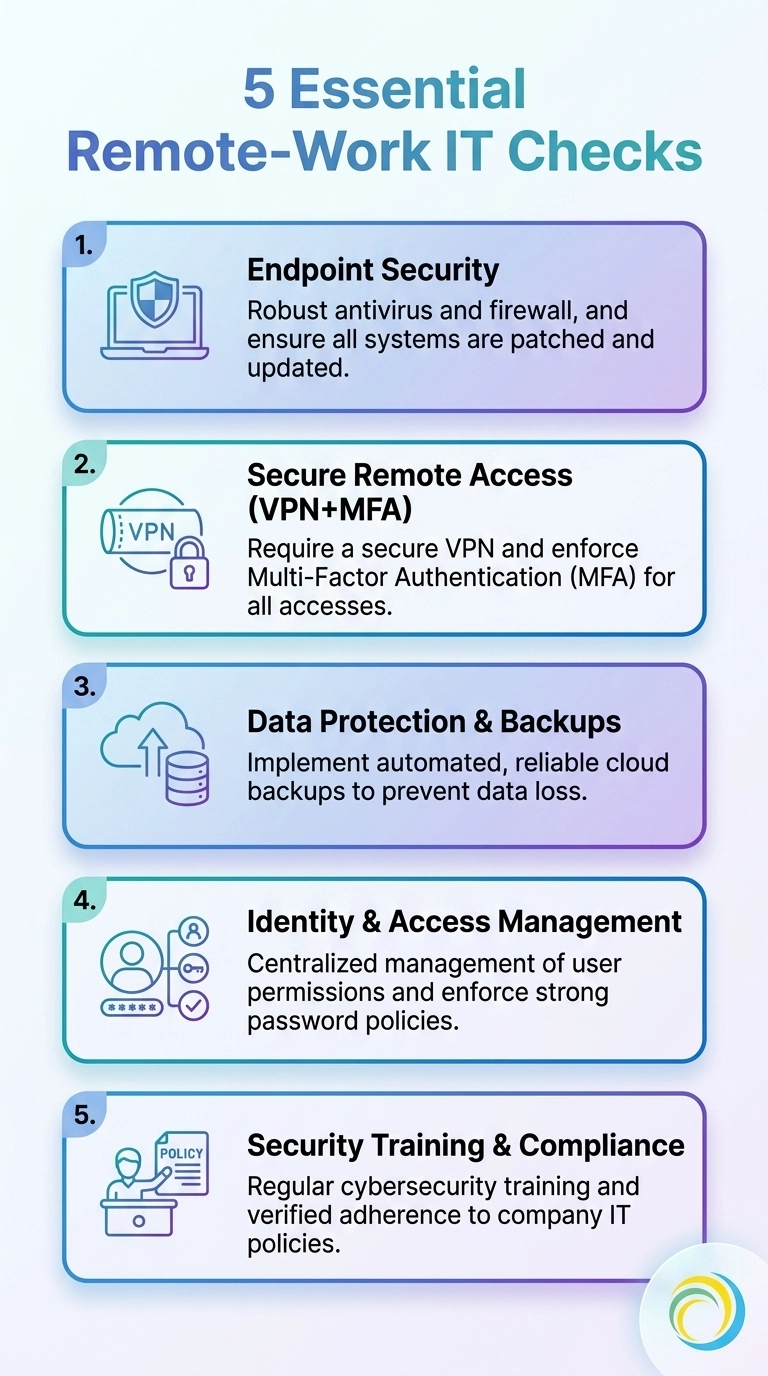
A concise visual guide to the five IT checks every remote team should perform to stay secure and productive.
Best for Resilience: Backup and Disaster Recovery for Remote Teams
One of the most overlooked sections of any remote work IT checklist is what happens when something goes seriously wrong. Ransomware, accidental deletion and hardware failure are not hypothetical risks for remote teams, they are eventual certainties.
Your business continuity and disaster recovery checklist should confirm:
- All remote devices backing up automatically to a secure cloud or central location.
- Recovery Time Objectives (RTO) and Recovery Point Objectives (RPO) defined and understood.
- Disaster recovery tests completed on a regular, documented schedule.
- Backup integrity verified, not just assumed.
- Staff aware of the recovery process and who to contact.
Practical rule: if you have not restored from the backup recently, you do not yet know whether you can rely on it.
The days of swapping tapes and drives are firmly in the past. At ITERTECH, we have worked hard to make complicated backup processes obsolete, replacing them with automated, verified, cloud-first solutions that work as reliably for a remote team in Surrey as they do for an office in London.
Best for Human Risk: Security Training in the Remote Work IT Checklist
Technology controls alone cannot secure a remote workforce. People remain the most targeted vulnerability, and phishing, social engineering and pretexting attacks have become dramatically more convincing in 2026.
Your staff security training checklist should include:
- Regular phishing simulations run against remote staff, treated as a risk management exercise rather than a blame exercise.
- Onboarding security training for every new remote employee.
- Role-based training modules covering the specific risks relevant to each team.
- Password hygiene and password manager adoption confirmed.
- A clear, no-shame reporting process for suspected phishing or security incidents.
This safe failure approach allows staff to learn from mistakes without risk or embarrassment. The goal is a more security-aware culture, not a more anxious one.
It is also worth noting that the “deepfake CEO” voice phishing surge reaching London finance is not just a large-enterprise problem. UK SMEs are increasingly targeted using AI-generated audio and video impersonations. Training staff to verify unusual requests through a second channel is now a non-negotiable item on the remote work IT checklist for any business.
Best for Ongoing Support: Remote Work IT Checklist for IT Monitoring and Help

A checklist without ongoing support behind it is just a document. The real value comes from having expert remote IT support services available to enforce it, monitor it and respond when something breaks.
Your remote IT support checklist should confirm:
- 24/7 remote diagnostics and remediation available for all distributed staff.
- Proactive system health monitoring in place across remote endpoints.
- A defined escalation path for critical incidents.
- Remote onboarding and secure configuration for new starters handled centrally.
- Regular IT health reviews scheduled, not just reactive ticket-based support.
Working with an IT support team should be straightforward, transparent and reassuring from the very start, so you always know what to expect. That means clear SLAs, a named point of contact and proactive communication, not just a ticket queue.
Best for Scaling Securely: Outsourced IT Support and the Remote Work IT Checklist

For most UK SMEs, the honest answer to “who owns the remote work IT checklist?” is: nobody, specifically. It falls between departments, gets half-implemented and then quietly ignored until an incident forces the conversation.
That is where outsourced IT support changes the picture entirely. With a dedicated managed IT partner, your remote work IT checklist becomes a living document, actively maintained, audited and enforced, rather than a one-off project gathering dust on a shared drive.
With over 50 years of cumulative experience behind our team at ITERTECH, we have seen the same patterns repeat across London finance firms, Surrey professional services businesses and SMEs across Berkshire and Hampshire: the organisations that treat their remote IT checklist as an ongoing programme rather than a one-time setup are dramatically better positioned when things go wrong.
Our IT support services are designed to take the entire checklist off your plate, from endpoint monitoring to backup verification to phishing simulations, so that your team can focus on the business rather than chasing IT hygiene across a distributed workforce.
A comprehensive remote work IT checklist in 2026 is not a luxury. It is the operational baseline that determines whether your business stays secure, productive and resilient as remote and hybrid working becomes permanent.
The checklist covers eight interconnected areas: endpoint security, network safety, identity and access controls, data protection, backup and disaster recovery, staff security training, ongoing IT monitoring and the strategic decision of how to resource it all. Each area has its own “best for” controls, but they only deliver real protection when they work together as a system.
If you are unsure where your current remote work IT checklist stands, the most important first step is an honest audit. We treat this as a risk management issue, not a blame exercise, and the goal is always peace of mind for you, and a stronger foundation for your business. Get in touch with our team at success@itertech.co.uk and we will help you build a checklist that actually gets used.
Frequently Asked Questions
What should be on a remote work IT checklist for a small UK business?
A remote work IT checklist for a UK SME should cover endpoint security and encryption, VPN and network controls, multi-factor authentication, data backup and recovery testing, staff phishing training and access to fast remote IT support. Each of these areas addresses a specific, documented attack vector or operational risk that remote teams face in 2026.
How often should a remote work IT checklist be reviewed?
Your remote work IT checklist should be reviewed at a minimum every quarter, and immediately after any significant change, such as a new starter, a new cloud tool being adopted or a security incident. Treating it as a living document rather than a one-off setup is what separates secure organisations from vulnerable ones.
Is a remote work IT checklist worth it for businesses with fewer than 20 employees?
Absolutely. Smaller businesses are disproportionately targeted because attackers assume, often correctly, that their IT controls are less mature. A focused remote work IT checklist, even a simplified one, delivers significant risk reduction for minimal investment, particularly when supported by a managed IT provider.
What is the biggest security risk for remote workers in the UK in 2026?
Credential abuse remains the leading initial attack vector at 22% according to the Verizon DBIR, meaning stolen or weak passwords are the primary way attackers get in. Any remote work IT checklist that does not start with MFA enforcement and phishing-resistant authentication is starting in the wrong place.
Can outsourced IT support manage a remote work IT checklist on my behalf?
Yes, and for most UK SMEs this is the most practical approach. An outsourced IT partner takes ownership of your remote work IT checklist, maintaining, auditing and enforcing it, so that it becomes an active security programme rather than a document. With 60% of organisations citing lack of internal resource as their top barrier to secure remote access, outsourcing is often the most cost-effective resolution.
What does remote IT support actually cover for remote workers?
Good remote IT support services cover 24/7 diagnostics and issue resolution, proactive monitoring of remote endpoints, secure onboarding for new starters and regular health checks, all without requiring an on-site visit. For distributed UK teams, this means fast fixes and expert oversight regardless of where staff are working from.
How do I know if my remote work IT checklist has gaps?
The clearest indicators are unpatched remote devices, staff without MFA enabled, untested backups and no formal phishing simulation programme. A structured audit against the eight areas of a thorough remote work IT checklist will surface your specific gaps quickly, and the good news is that most are fixable without large capital investment.