

Did you know that 47% of IT requests are made outside standard business hours, often creating the “ghost shift” problem where helpdesk coverage is thinner and first response slips? In 2026, IT support response time is no longer just a service metric, it is a day-to-day productivity risk you have to manage.
Key Takeaways
| What to measure | Why it matters for IT support response time |
|---|---|
| First reply time | It shows how quickly your customer gets acknowledgement, not just eventual resolution. |
| Median vs average | Outliers can make average response time look better or worse than reality. |
| Queue health | If tickets sit in triage, your IT support response time stays slow even with “fast” technicians. |
| After-hours demand | In 2026, demand patterns mean staffing and automation need to match the ghost shift. |
| Remote readiness | Remote IT support reduces site-to-site delays and shortens the time to first useful action. |
| Operational handover | Clear escalation routes prevent “we will call you” loops that inflate response time. |
- When you are deciding how to choose a reliable outsourced IT support provider, start with helpdesk operations, because that is where most daily pain gets managed.
- If your “clock” starts when a technician touches the ticket, you are probably under-reporting IT support response time.
- Use definitions that align to how ticketing platforms describe first reply time.
- For remote IT support services that aim to keep tickets moving, see remote IT support services in Surrey, Berkshire and Hampshire.
- For the broader helpdesk model, compare IT support for businesses across Surrey, Hampshire and Berkshire.
Why IT Support Response Time Is Harder in 2026 Than It Looks on Paper
Most teams think response time means “how long until someone fixes it”. In practice, IT support response time is usually split across two moments, the first acknowledgement (first reply) and the time until you get meaningful progress (triage, diagnostics and action).
In 2026, the hidden risk is that ticket creation does not line up with your staffing pattern. A request created at 7pm with an SLA that assumes 9am coverage often turns into slow first response, even when your engineers are fast during working hours.
This is where local operational context matters too. The connectivity issues faced by a firm in a bustling city centre differ vastly from those encountered in a rural business park and your helpdesk process needs to reflect that reality across your locations.

First Reply Time Versus Resolution Time and Why Definitions Affect IT Support Response Time
The primary goal of this page is simple: to cut through the noise. If your reporting compares different definitions, your internal debates will go round in circles and improvements will not land where they are needed.
Zendesk defines first reply time as the time from when a ticket is created to the first public agent response. When you use that definition, you can reliably judge IT support response time across inboxes, portals and channels.
If you only track resolution time, you risk rewarding behaviour that makes tickets feel “busy” but not “moving”. A ticket can take hours to resolve, but it should not sit in silence.
Practical rule: measure acknowledgement separately from fix time, then manage each stage with its own controls.
Helpdesk Triage, Queue Design and the Real Drivers of Slow IT Support Response Time
When it comes to IT services, software and hardware, the sheer volume of information available online can feel overwhelming. The fix is usually not more documentation, it is triage discipline.
Slow IT support response time is commonly caused by one of these queue blockers:
- Tickets lack context, so helpdesk staff must ask follow-up questions before they can do anything.
- Incorrect routing, tickets get sent to the wrong resolver group and bounce back.
- Overloaded first line, the helpdesk is expected to both triage and resolve complex issues without capacity.
- Change collisions, support waits because someone else is running a planned change.
- Escalation gaps, when internal teams do not have clear handover criteria.
Our approach treats this as a risk management issue, not a blame exercise. We want to remove the friction points that add hours between “ticket created” and “agent response”.
Remote IT Support Services That Shorten the Time to First Useful Action
In 2026, remote support is not just a convenience, it is one of the fastest ways to improve IT support response time because it removes site visit delays and reduces dependency on physical access.
At ITERTECH, we provide remote helpdesk coverage that aims to keep tickets moving quickly, with clear escalation routes and a focus on fast diagnostics once the agent replies.

If your organisation operates across Surrey, Berkshire and Hampshire, remote IT support can also standardise ticket handling. That means IT support response time stays consistent across your offices, instead of varying by who is on site that day.
For extra operational context on how we run support day-to-day, you can also review our IT support services and how the helpdesk model fits businesses that need more than just keeping the lights on.
Staffing for the Ghost Shift, Using Median Thinking for IT Support Response Time KPIs
After-hours demand is predictable and that changes how you plan. If 47% of requests arrive out of standard hours, then your IT support response time KPI cannot be driven only by daytime performance.
Zendesk also highlights why median matters. One group’s average first response time can be misleading, because outliers (for example, escalations or urgent incidents) can pull the mean away from typical experience. Median or P50 gives a better “normal day” view, so you know whether improvements are real.
To manage this properly, we recommend a simple KPI set:
- First reply time (P50 and P90) by ticket category, so you see what is typical and what is struggling.
- Queue time to first action (triage), so you can fix process delays not engineer delays.
- After-hours coverage score, how quickly agents respond for tickets created outside business hours.
Make IT Support Response Time Measurable Across Channels, Not Just Emails
Where customers create tickets changes the experience. If people submit via portal one day and email another day, you can end up measuring two different service realities.
To keep IT support response time consistent, unify ticket intake logic. At minimum:
- Use one set of ticket categories and severity levels.
- Capture the same minimum context (device, app, error message, impact, location).
- Ensure the same “clock start” for response-time reporting.
- Track and publish the same KPI definitions across teams.
Then align your escalation routes to how tickets actually behave. If endpoint security alerts flood the queue, you need defined workflows that prevent those tickets from crowding out “can’t work today” issues.
Operational Safeguards That Prevent Response Time Spikes During Outages and Incidents
Response time does not exist in isolation. When infrastructure issues land, helpdesks often lose visibility and the time to first reply can jump.
This is where disaster recovery planning and resilience practices matter. If your team can restore services quickly, then the helpdesk can respond with confidence, rather than guessing or waiting.

With the right plan, IT support response time becomes steadier during incidents because technicians have known recovery steps, not improvisation. That is also how support shifts from “keeping the lights on” into a forward-thinking, operational context.
Similarly, managed network security and vulnerability scanning help reduce “surprise” incidents that create large ticket waves. While these services do not replace helpdesk operations, they reduce the frequency of queue storms that slow down response time.
- Managed network security services for monitoring and threat detection
- Vulnerability scanning to identify weaknesses early
Test Your Response-Time Improvements with Real-World Scenarios
The best way to improve IT support response time is to test it. Not with vague hopes, but with scenarios that reflect your daily pain.
Here are practical scenarios we typically use to stress-test the helpdesk process:
- Remote user cannot log in (ticket created after hours): check first reply time, then how quickly identity or access steps begin.
- Microsoft 365 sign-in issues during business hours: check triage speed and whether the right resolver group joins immediately.
- Endpoint slowdown: check whether first line can capture enough detail for fast diagnostics.
- Suspected security incident: check whether escalation is immediate and that customers get acknowledged without delays.
If you are rolling out or supporting Microsoft 365, your helpdesk process needs to match how that environment behaves in 2026. You can review Microsoft 365 services (M365 Made Easy) for context on deployment, support and training.
5 Steps to Improve IT Support Response Time Without Adding Chaos
If you only change one thing, change your first 5 minutes after the ticket is created. That is where IT support response time is won or lost.
These steps are designed to be operational, not theoretical:
- Standardise ticket intake, so first line receives enough context to reply with substance.
- Fix routing early, so tickets do not bounce between resolver teams.
- Split acknowledgement from resolution, so customers get updates immediately.
- Automate the boring checks, while keeping human triage for complex incidents.
- Review median and P90 monthly, so improvements are measurable even with outliers.
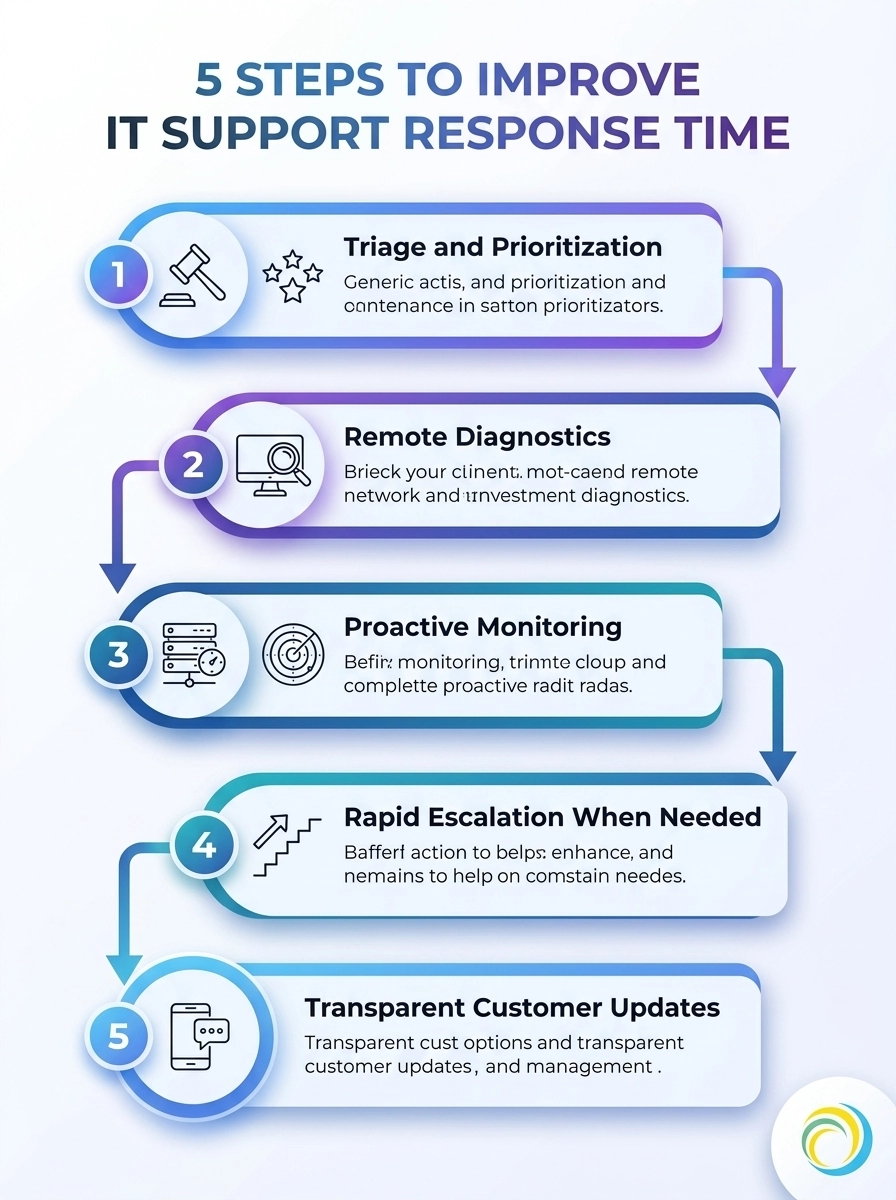
This infographic outlines five practical steps to improve IT support response time. Use these steps to streamline ticket handling and boost customer satisfaction.
And because this is about the whole operation, not just the helpdesk, the improvements should connect to how your IT supports availability, resilience and rapid recovery without adding unnecessary complexity.
Choosing a Provider for IT Support Response Time, What to Ask Before You Sign
When you are deciding how to choose a reliable outsourced IT support provider, start with helpdesk operations. You want the company to show how tickets are handled, how IT support response time is tracked and how they respond when demand spikes.
Ask these questions during the evaluation:
- What definition do you use for first reply time and how do you report P50 versus P90?
- How do you handle tickets created outside standard business hours in 2026?
- How is triage structured and what proportion of tickets are resolved versus escalated?
- What are the escalation triggers and how quickly do escalations get acknowledged?
- How do you keep communication consistent across portal, email and phone?
At ITERTECH, our local lens is not a sales line. Our teams and our “HERO’S” approach are built for operational context across regions, so response-time performance is not left to chance.
If you want to see real-world examples of how support and operations fit together, visit our case studies.
In 2026, IT support response time is best treated as a measurable operational system, not a single hope for faster engineers. Measure first reply time with consistent definitions, manage triage and routing, plan for after-hours demand and test changes against real ticket scenarios.
Do that and the outcome is clear, faster acknowledgement, steadier performance during incidents and IT that actually helps drive business forward rather than just keeping the lights on.
Frequently Asked Questions
What is IT support response time and how is it different from resolution time?
IT support response time usually refers to the period between ticket creation and the first agent response, while resolution time is how long it takes to fully fix the underlying issue. In 2026, tracking them separately helps you improve both customer acknowledgement and real progress.
How do I measure IT support response time if we use email and a ticket portal?
Use the same KPI definitions across channels and make sure your reporting starts at ticket creation. If your “clock” differs by channel, you will not get an accurate picture of IT support response time, even if your team is working hard.
Should we target average or median for IT support response time in 2026?
In most environments, IT support response time benefits from median (P50) reporting because outliers can skew averages. If you also track P90, you get a realistic view of typical performance and worst-case experience.
How can remote IT support improve IT support response time for our staff?
Remote IT support can reduce the delay between ticket creation and first useful action by removing travel and access dependencies. When remote support is paired with good triage and clear escalation routes, IT support response time is usually steadier across locations.
What should we do about the “ghost shift” problem affecting IT support response time?
If a large share of tickets arrives outside business hours, you need coverage and process that reflect that demand. Use after-hours KPI reporting, automate routine checks and ensure first line can acknowledge and triage immediately.
Is it worth outsourcing IT support in 2026 if response time is our main concern?
It can be worth it if the provider can demonstrate how they manage helpdesk operations, triage and after-hours demand. The key is whether they can improve IT support response time using consistent definitions, queue health and escalation discipline.